
For iPhone, iPad and Apple Watch
From school all the way through university.
StudyNow stays with you from year five to graduation: timetable, sessions, tasks and deadlines in one place – and a record of how it is going for you. Everything stays on your device: no account, no ads, no usage analytics.

What do you want to use StudyNow for?
The app asks this on first launch. Both can also live side by side on one device – and when you move on from school to university, the app simply comes along.
University
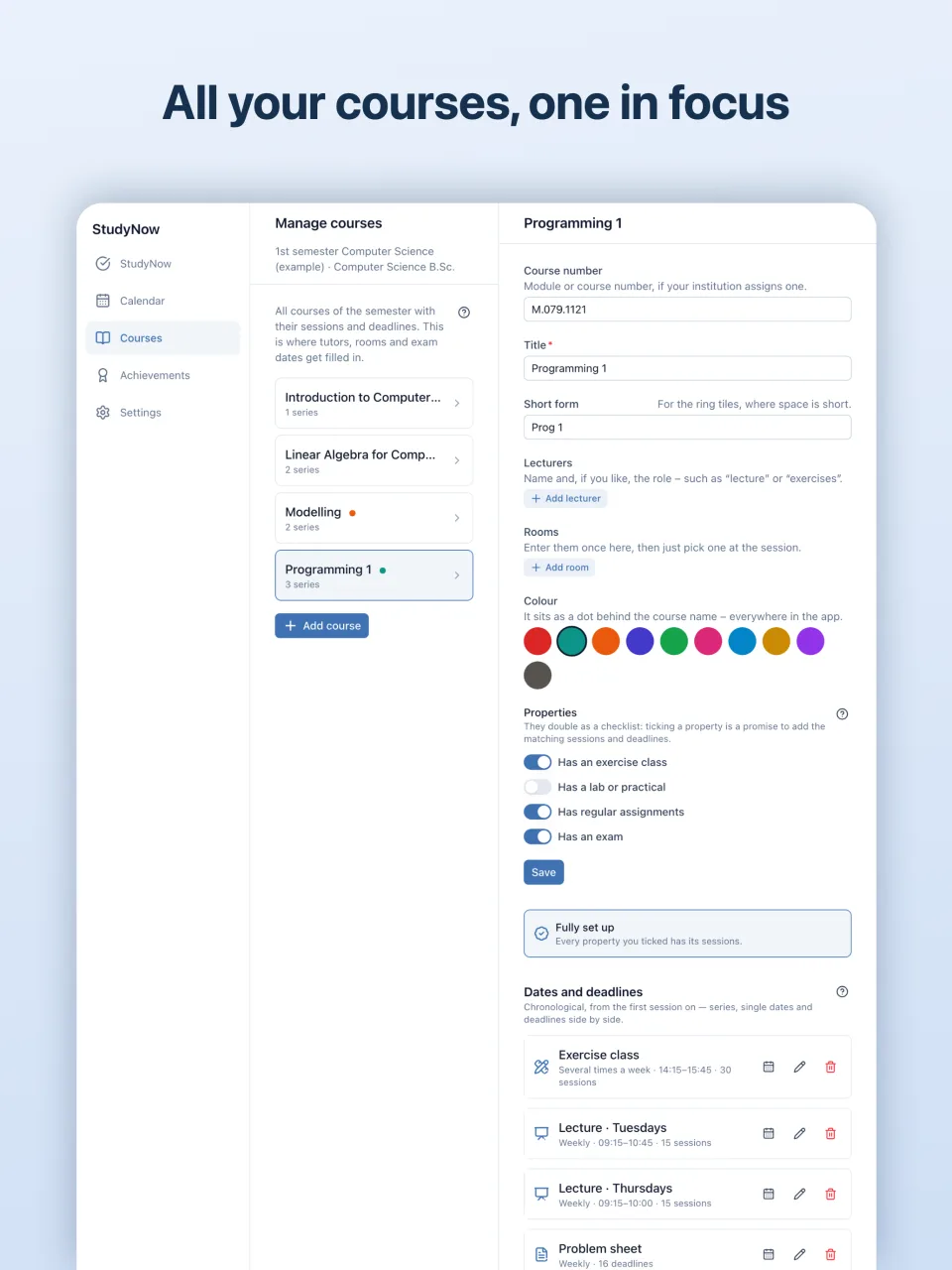
Your semester in one place
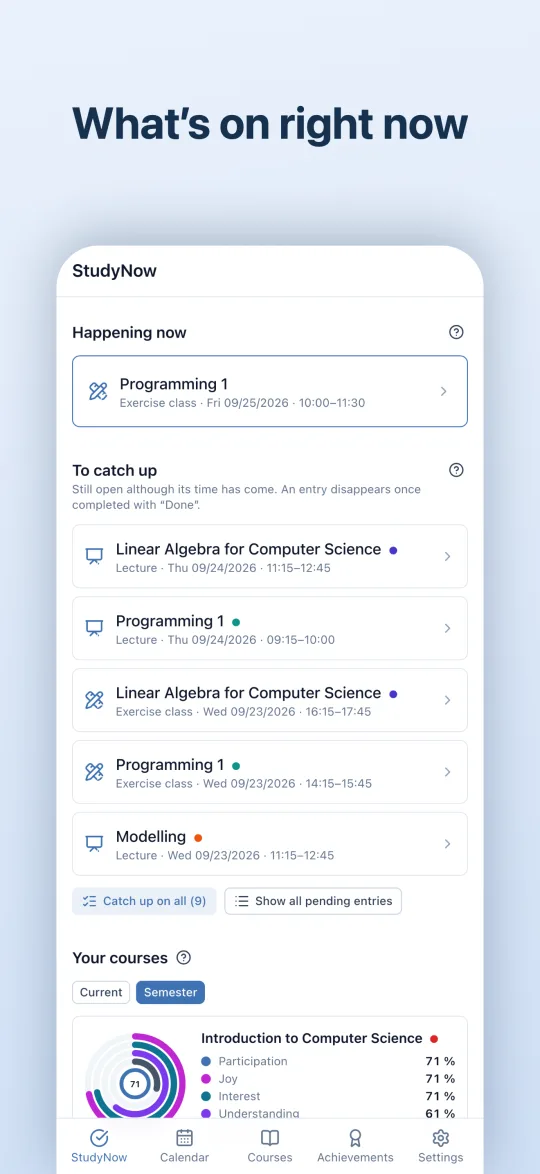
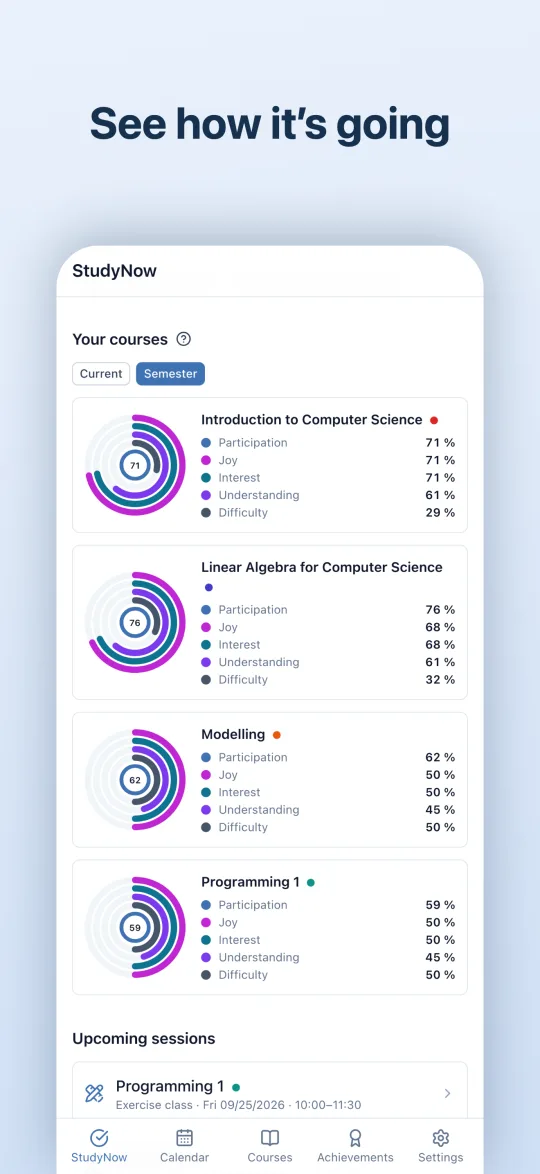
StudyNow organises your semester and keeps track of how your courses are going for you.
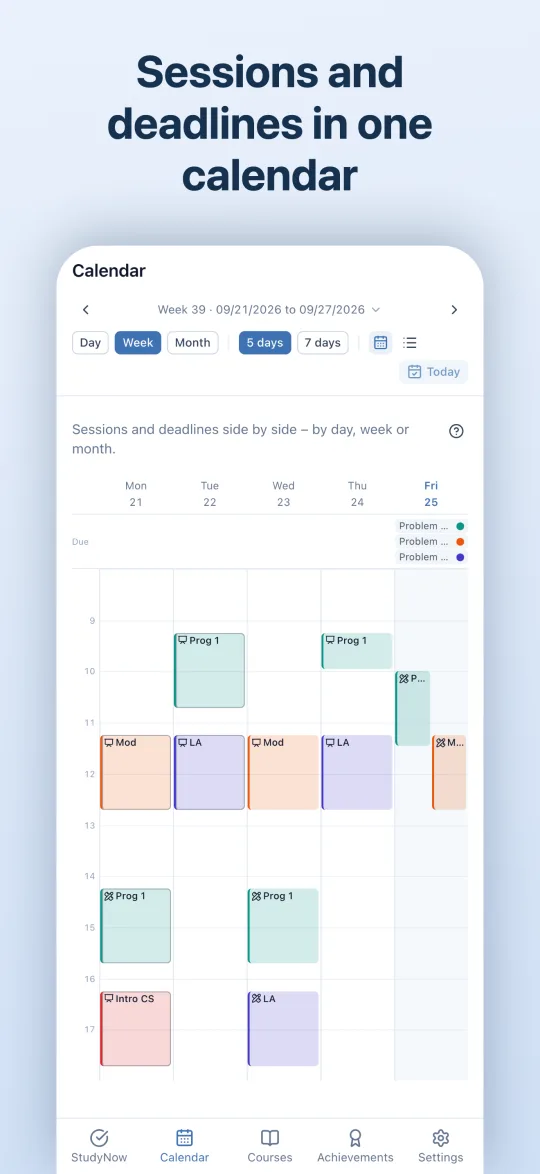
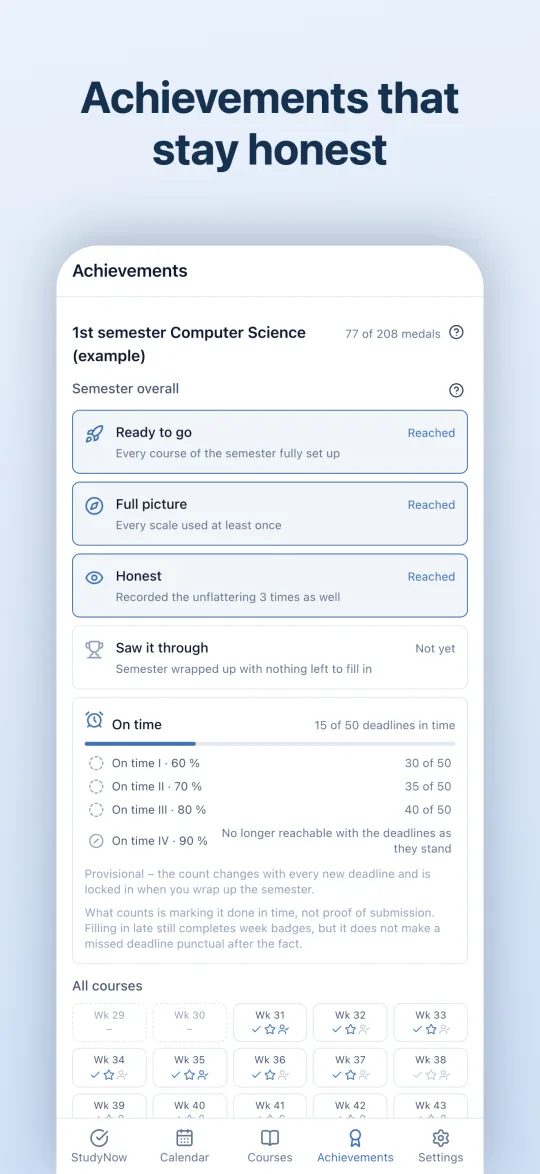
- Your semester in one placeCourses, sessions and deadlines, lecture period and lecture-free weeks – with series the app works out for you.
- Import a semesterIf your university provides a file, you take over semester dates, deadlines and courses with a single tap.
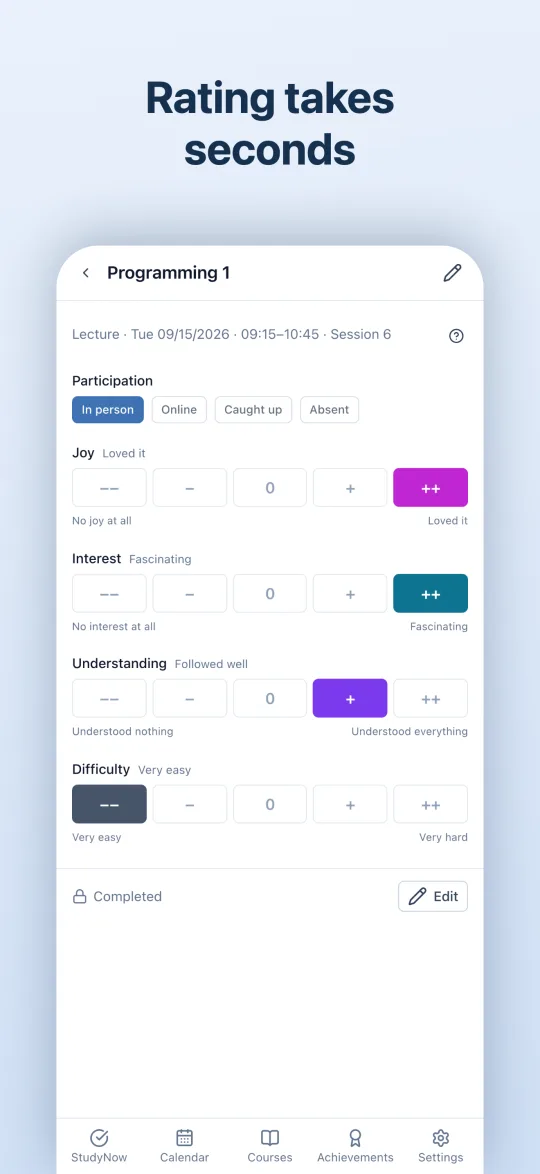
- Rate in secondsWere you there, how was it? Participation, joy, interest and understanding – optional and only for you.
- Rings and achievementsMany small entries add up to a picture you would otherwise only sense.
School
The school day, lesson by lesson
For years 5–10 and upper school. In upper school with courses, course codes and levels – free periods become study time.
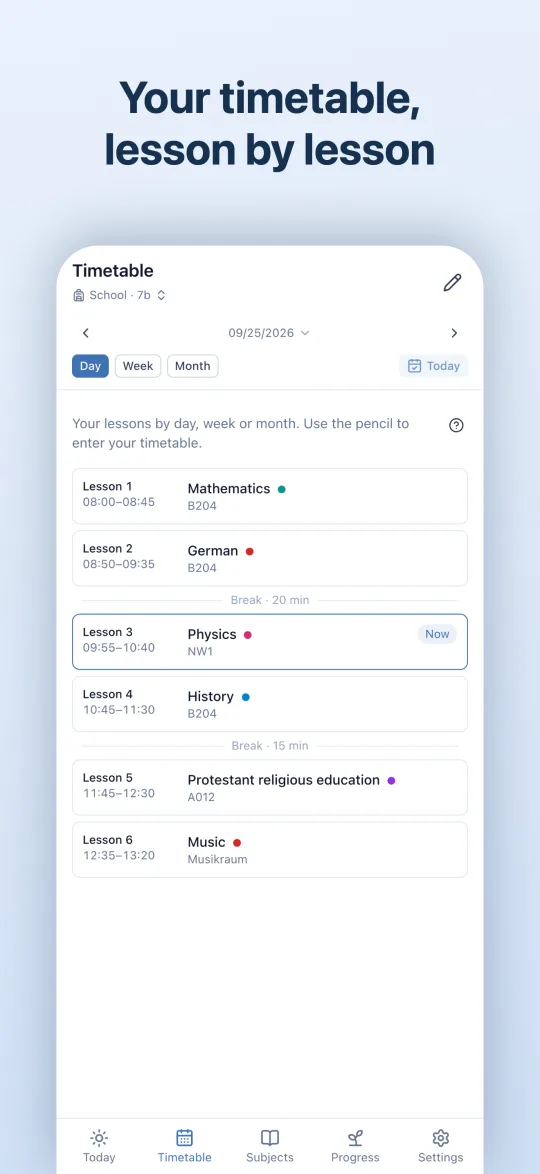
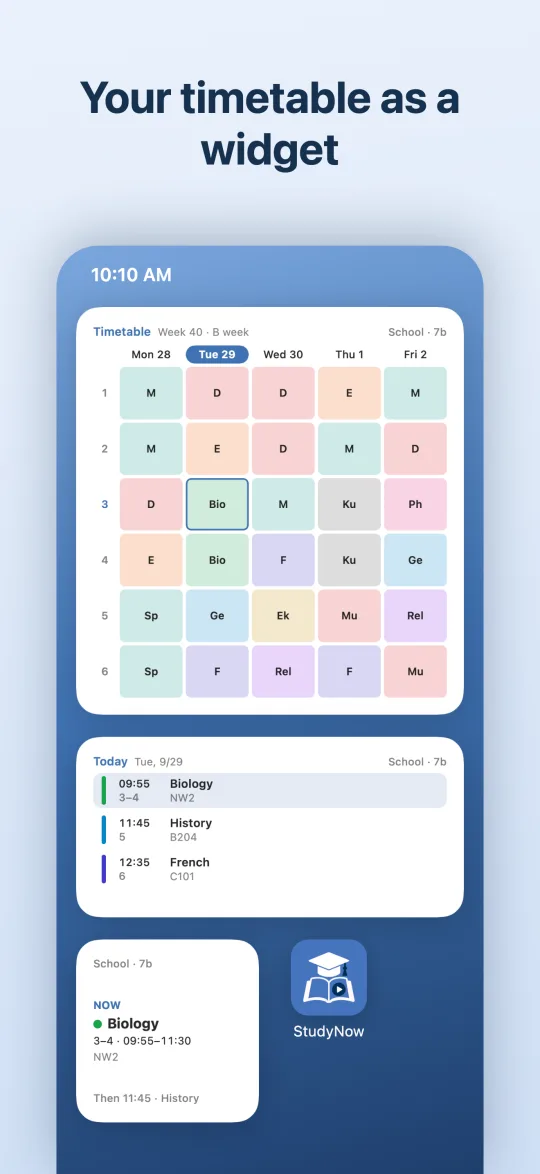
- The real timetableWith lesson times, breaks, double lessons and A/B weeks. Room changes, cover and cancellations sit right at the lesson.
- Enter once – or take it overFrom a calendar file (for example from WebUntis), a spreadsheet or your teacher’s template.
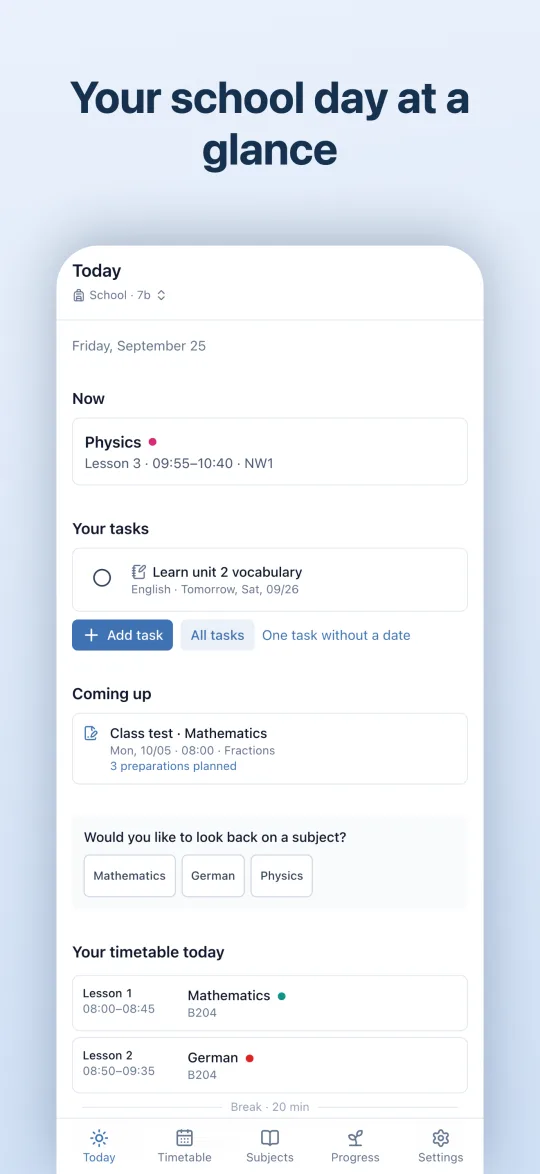
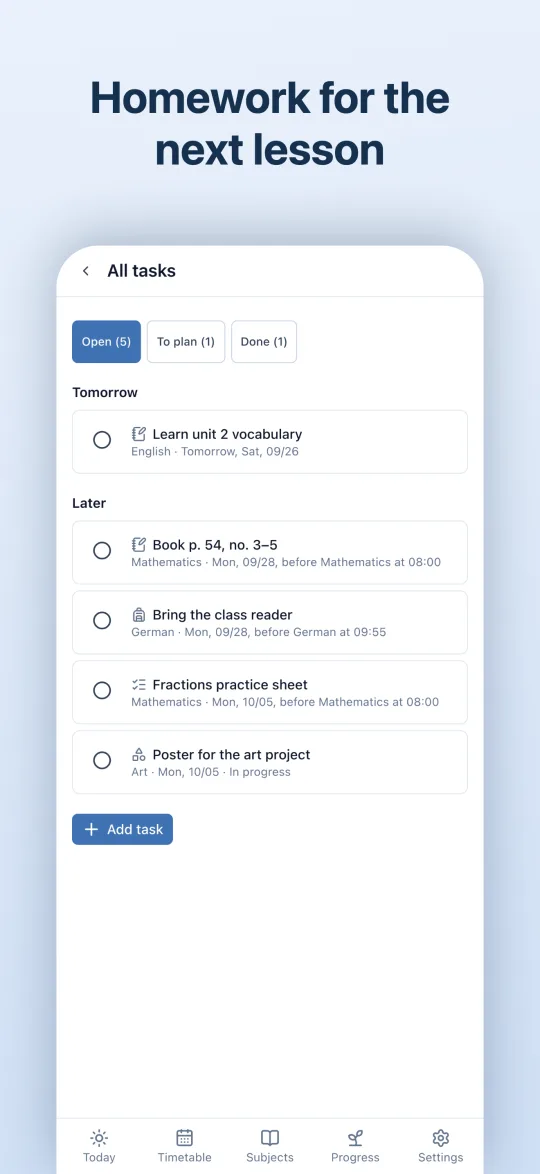
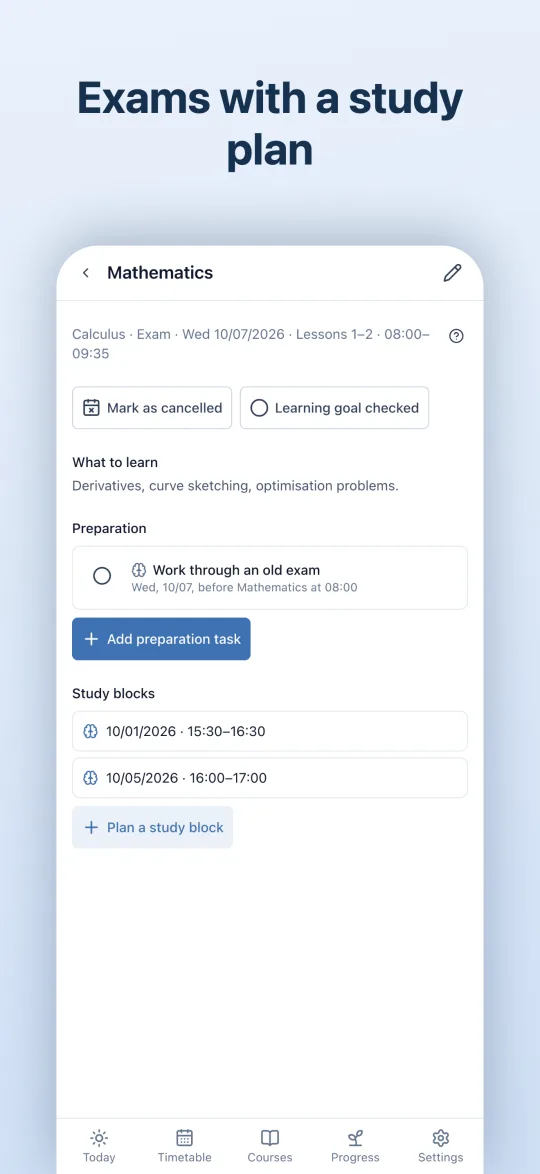
- Homework for the next lessonThe app finds the lesson for you. You plan tests and exams with topics and study blocks.
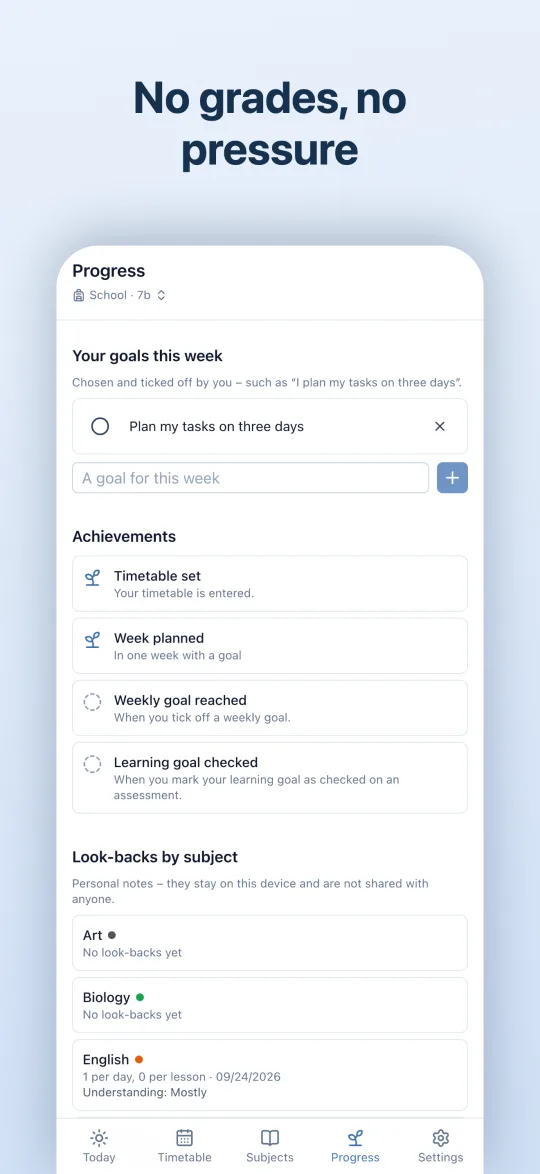
- No grades, no pressureOptional look-backs, always with “No answer”. Weekly goals you choose yourself instead of points and rankings.
Everywhere with you
What applies to school and university alike.
Widget
The next lesson, the day or the week on your home screen – for school or university.
Sync devices
iPhone and iPad in step: via iCloud, directly nearby or by file.
Reminders with quiet time
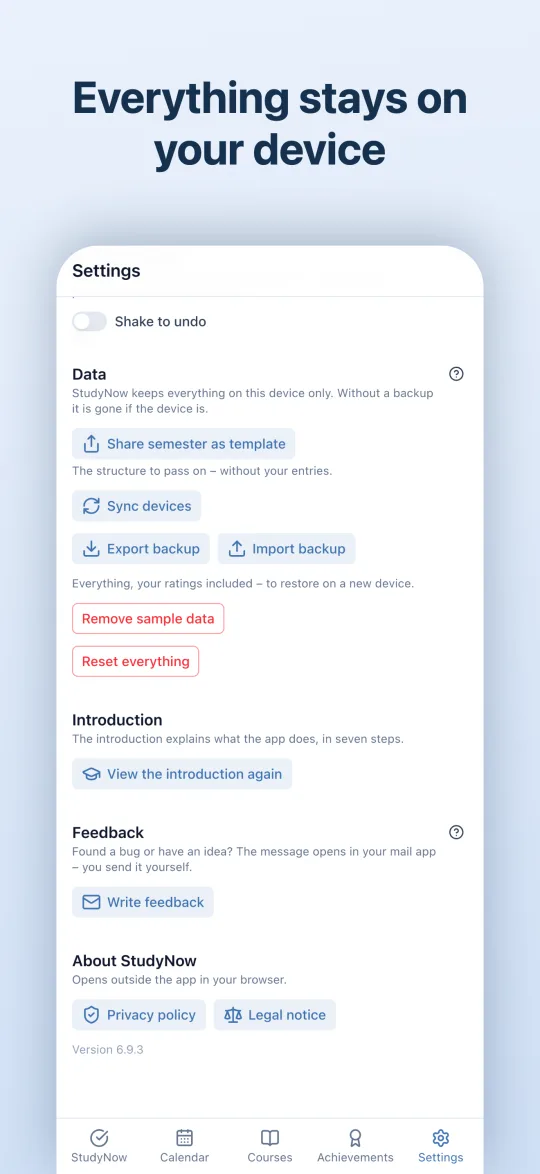
Scheduled on the device, not through a server. With quiet time in the evening and a discreet preview.
School and university apart
Separate learning areas on one device – nothing gets mixed up.
Backups in your hands
You export a backup wherever you like and read it back in on a new device.
English and German
The app and its user manual come in both languages.
iPad
More room on the iPad
StudyNow makes use of the iPad’s screen: more at a glance, less back and forth. In portrait and landscape, and in Split View.
- Today in two columnsWhat to do now on the left, the overview of courses, subjects and deadlines on the right.
- List and entry side by sideCourses, subjects, deadlines and tasks on the left, the chosen entry on the right – no back and forth.
- The session next to the calendarIn landscape, a session opens to the right of the week. Rate it without leaving the calendar.
- With a keyboard⌘1 to ⌘5 for the tabs, ⌘N to add, arrows and T in the calendar.
Apple Watch
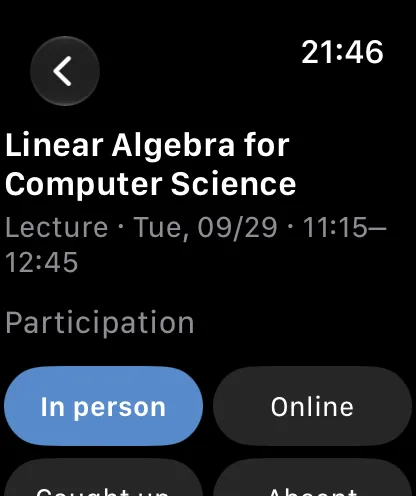
Rate from your wrist
After a session, the reminder arrives on your watch. One tap opens the rating – attendance, four scales, done. Your iPhone adds it.
- Straight from the reminderTapping the reminder after a session opens its rating on the watch.
- Just like on iPhoneAttendance and the four scales – the same rating, only smaller.
- What is still openThe watch lists what is left to fill in, the most recent session first.
- Gets there safelyThe watch sends the rating to your iPhone, even when it is not nearby right now.
Privacy
Your data stays with you
StudyNow has no server for your entries. What you enter is seen by nobody but you – not us, not your university, not your teacher.
- No accountNo sign-up, no password, no e-mail address.
- No server for your entriesWhat you enter lives only on your device. We can neither see nor restore it.
- No ads, no analyticsNo trackers, no ad services, no third-party embeds.
- Online only when you wantFor example when you load a file from a link or switch on sync via iCloud.
For universities and schools
Would you like to recommend StudyNow to your students or pupils? Here you find what the app does and doesn’t do, how to provide semester and school timetables as a file, and what to clarify before you start.